

by Ihsan Alamal Ahmad, Jr. Security Analyst - L1 @ PT ITSEC Asia Tbk
You know the drill. Read the 15-page vendor advisory. Google the CVE, find the PoC on GitHub. Manually extract indicators—C2 IPs, file hashes, command patterns. Open your text editor, write a Suricata rule from scratch. Test the syntax locally (if you even have a test environment). SSH into production sensors one by one. Deploy. Restart services. Pray nothing breaks.
Time elapsed: 4-6 hours.
What if you could paste the URL into a tool, get 5 production-ready rules in 30 seconds, review them over coffee, and deploy to 50 sensors with one click? Time elapsed: 15 minutes.
That's Orion Detection. Let's deep dive to get to know this tool better.
Use Case #1: The Threat Intel Treadmill
Your inbox gets 20 threat intel reports per week. PDFs, blog posts, vendor alerts. Most get bookmarked and forgotten. Why? Because reading ≠ acting. You read about Emotet's new C2 infrastructure, think "we should detect this," then get pulled into 10 other fires.
With Orion:
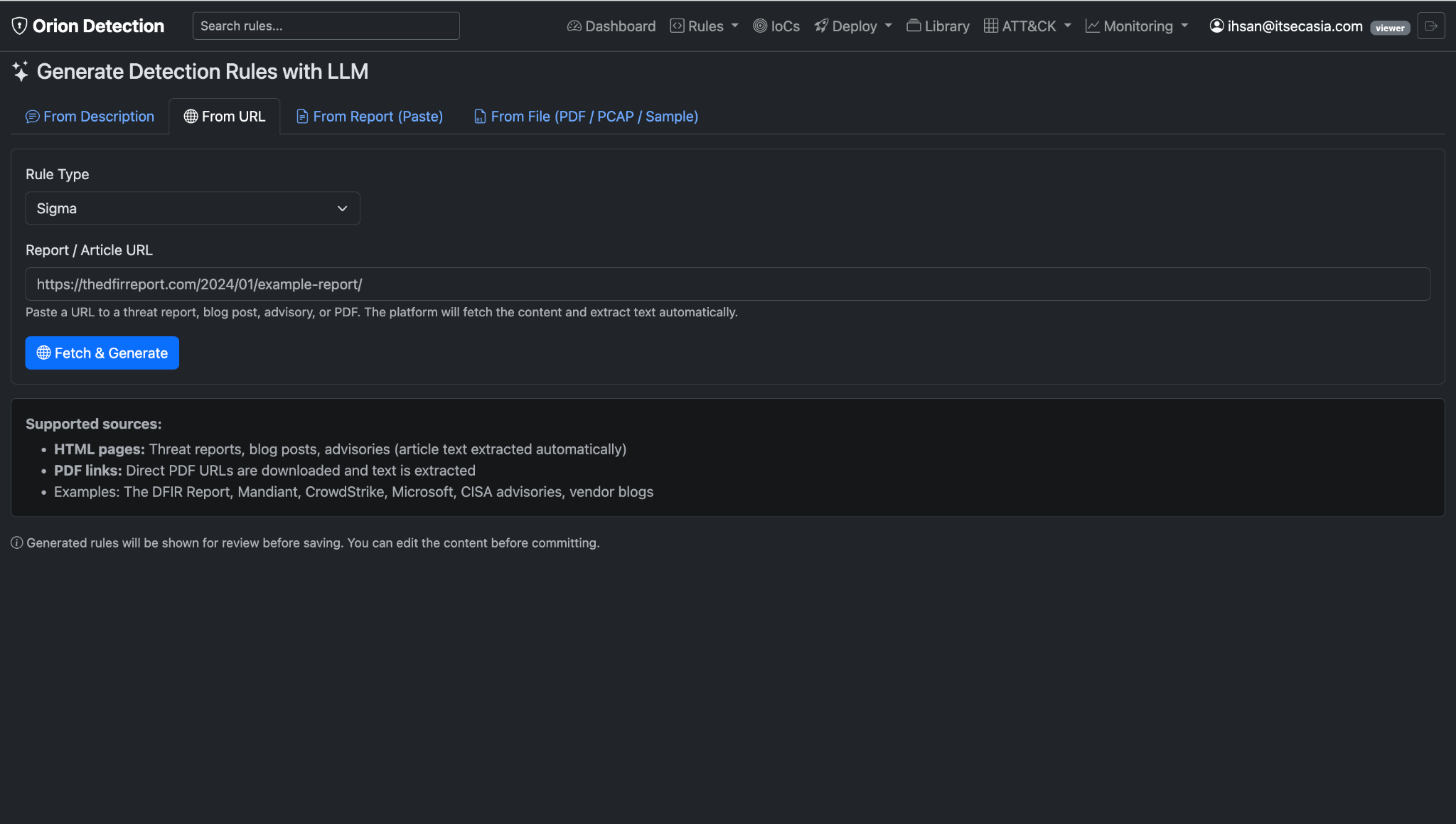
Drop the URL (or paste the text, or upload the PDF). Click generate. Watch it:
- Extract IoCs (domains, IPs, file hashes, registry keys)
- Identify attack patterns (PowerShell obfuscation, WMI lateral movement)
- Generate rules across formats (Suricata for network, Wazuh for endpoints, Sigma for SIEM)
- Auto-tag with MITRE ATT&CK techniques
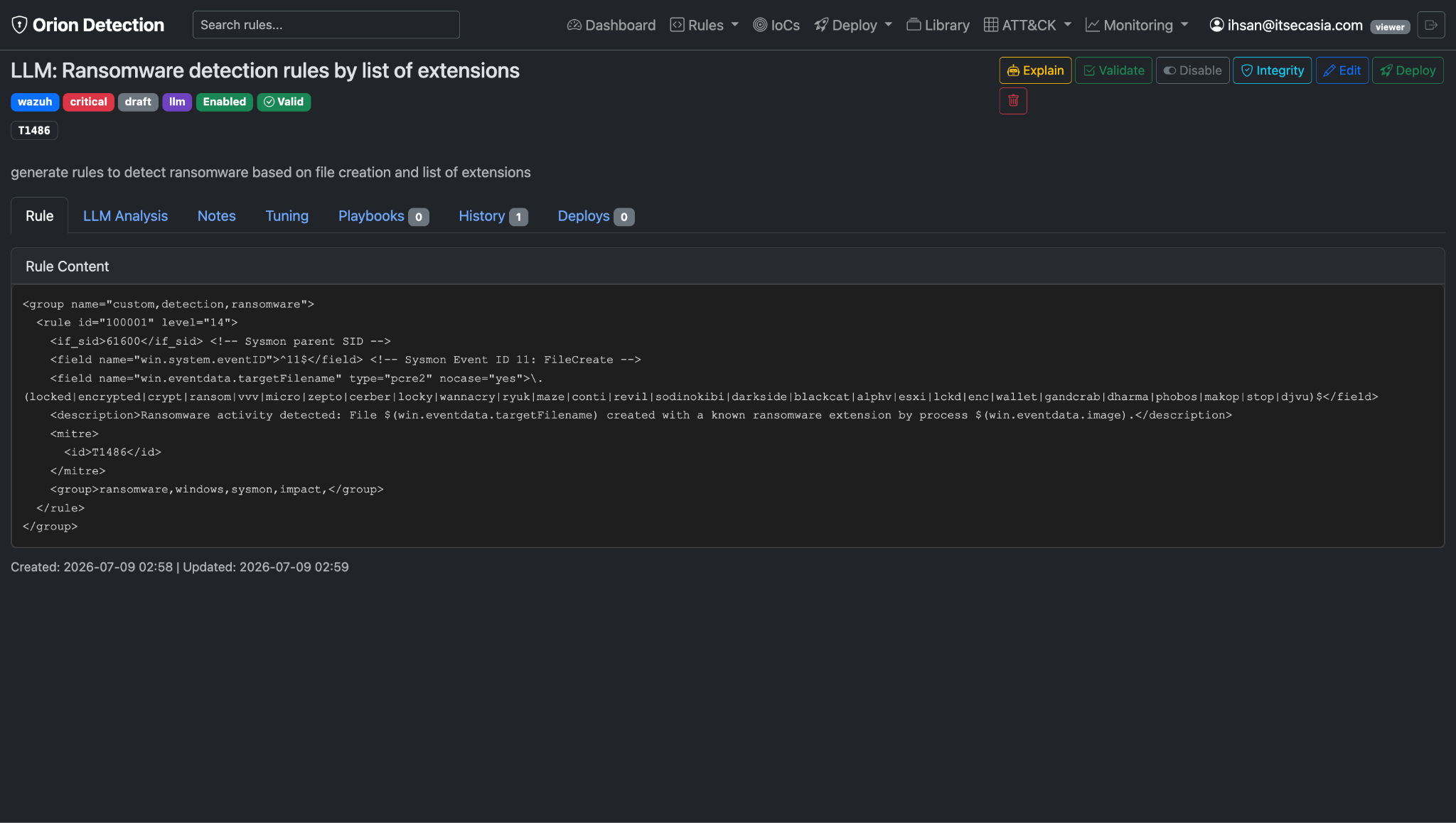
You get a preview of the generated rule. You read it like reviewing someone else's work, way faster than writing from scratch. Tweak a threshold here. Adjust a signature there. Deploy.
Real example from our SOC: One analyst processed 12 threat reports in one afternoon. Created 47 rules. The tool handles the tedious parts (formatting, syntax, IoC extraction) so the analyst focuses on the judgment calls (is this relevant to our environment? what's the false positive risk?).
The result: Threat intel actually gets operationalized instead of sitting in your inbox collecting digital dust.
Use Case #2: The MITRE Coverage Question
The question leadership always asks: "If APT1 attacked us tomorrow, what could we actually detect?"
Click the MITRE tab. See a heatmap. 691 techniques. Color-coded:
- Red = no coverage
- Yellow = predefined/draft
- Orange = active
- Blue = deployed
- Green = deployed + monitored
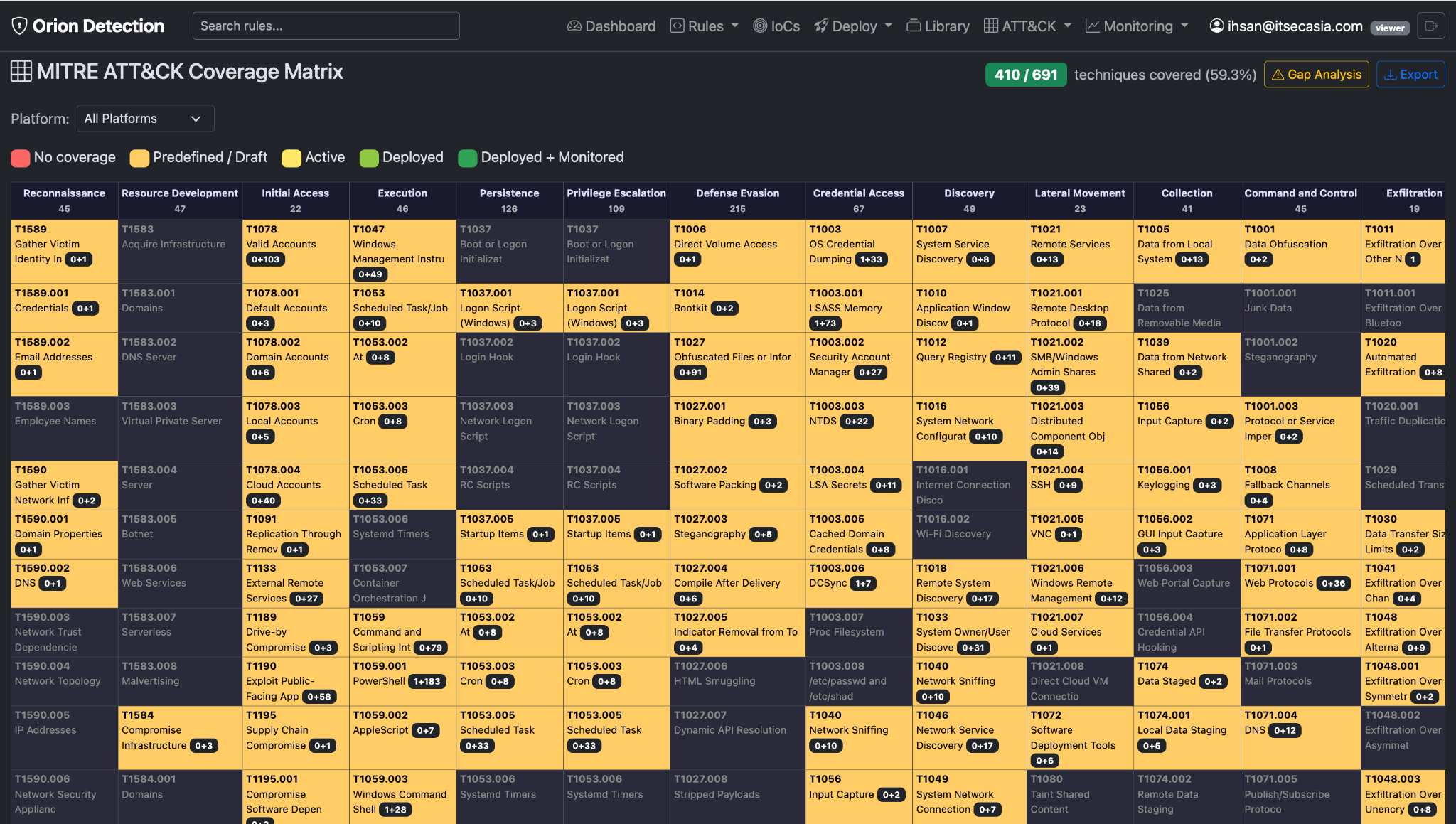
410 out of 691 techniques covered (59.3%) across your entire detection stack.
Filter by threat actor. Select APT1 (Comment Crew, Comment Group). See their 23 known TTPs highlighted. 19 are covered (82.6%), 4 are gaps.
The gap-closing workflow:
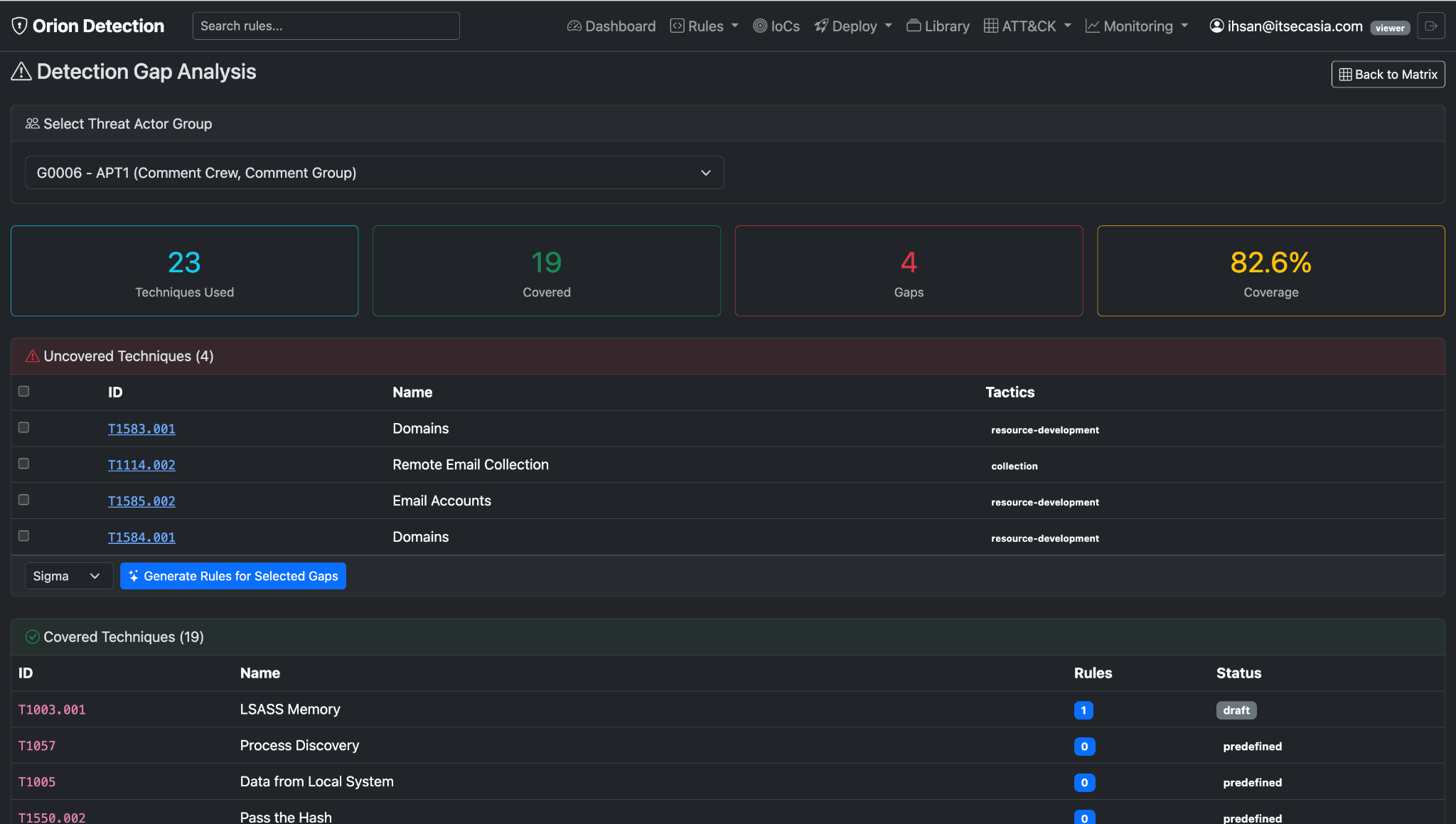
- Click "Gap Analysis" button
- See the 4 uncovered techniques:
○ T1583.001 – Domains (resource development)
○ T1114.002 – Remote Email Collection (collection)
○ T1585.002 – Email Accounts (resource development)
○ T1584.001 – Domains (resource development)
- Click "Generate Rules for Selected Gaps"
- Preview suggested Sigma rules from the library of 3,920 curated rules
- Import the best 3-5 rules
- Deploy to your SIEM
- Gaps close → coverage jumps from 82.6% to 100%
Time to close the gap: 10 minutes. Time to generate the executive report: Export as ATT&CK Navigator layer, screenshot the heatmap, done.
One of our analysts told me: "I used to dread the quarterly coverage review. Now I just open Orion, export the matrix, and the CISO is happy. It updates in real-time."
Use Case #3: The IoC Avalanche
Situation: Threat intel feed drops 500 malware hashes. Or CISA publishes 200 C2 domains tied to a campaign. Or your EDR vendor sends you a CSV of 1,000 suspicious IPs.
With Orion:
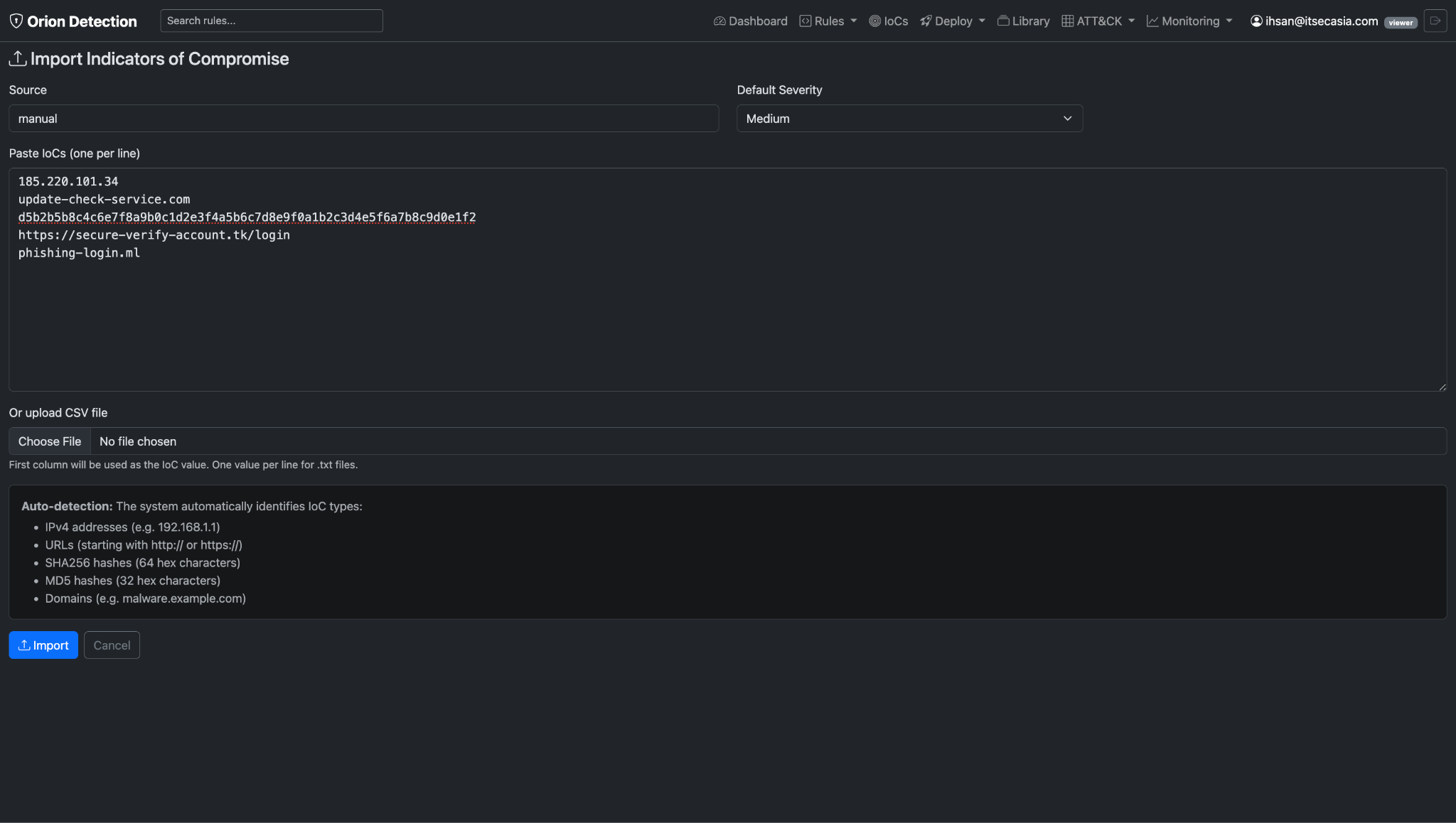
Paste the CSV. Or upload the file. Or just dump the list in a text box. Orion:
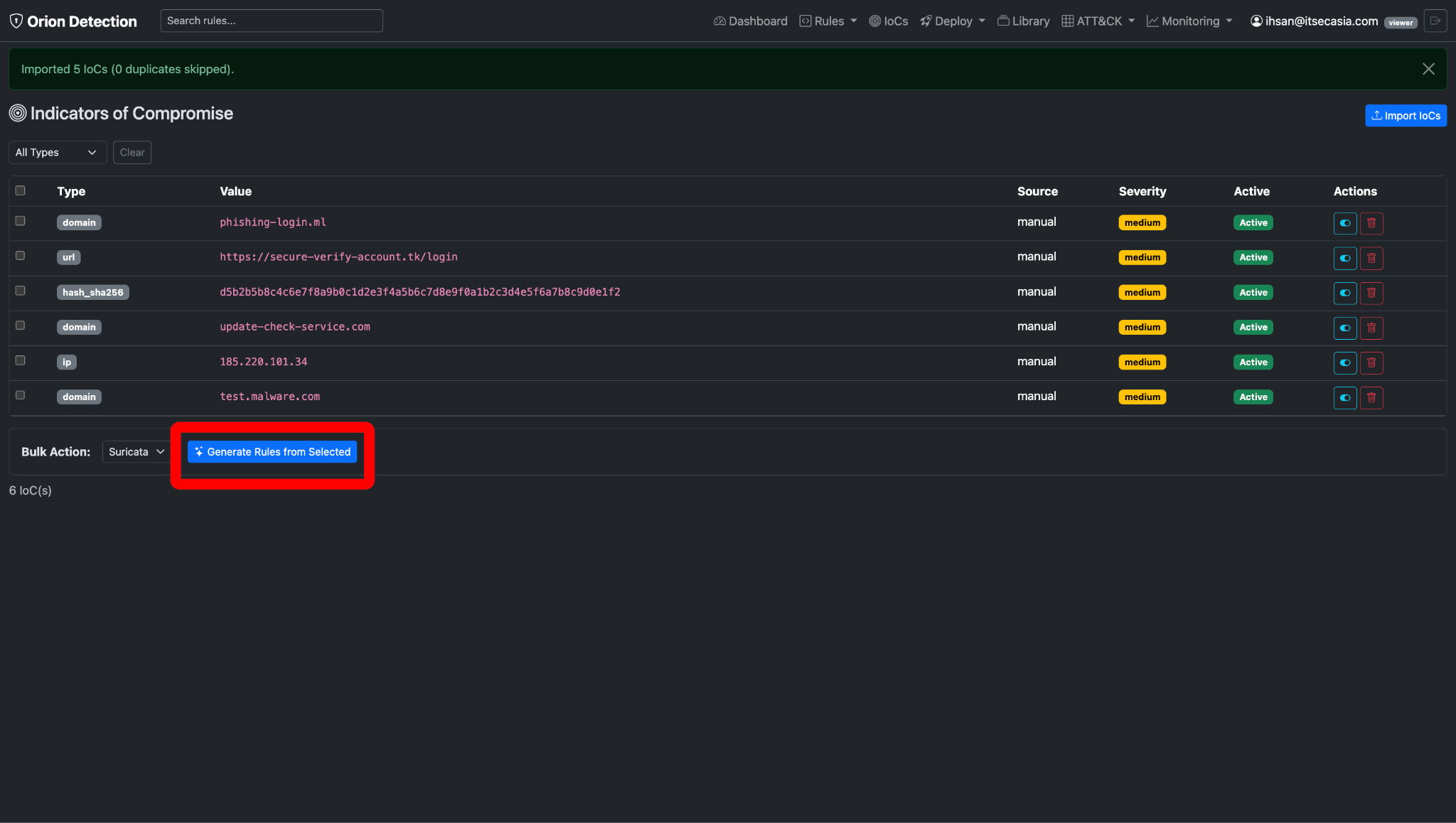
- Auto-detects types (IPv4, domain, MD5, SHA256, URL)
- Shows you what it found (so you can deselect false positives—yes, threat feeds include CDN domains sometimes)
- Groups similar IoCs (all the C2 domains → one efficient Suricata rule)
- Generates rules across formats (YARA for hashes, Suricata for network, Wazuh for file events)
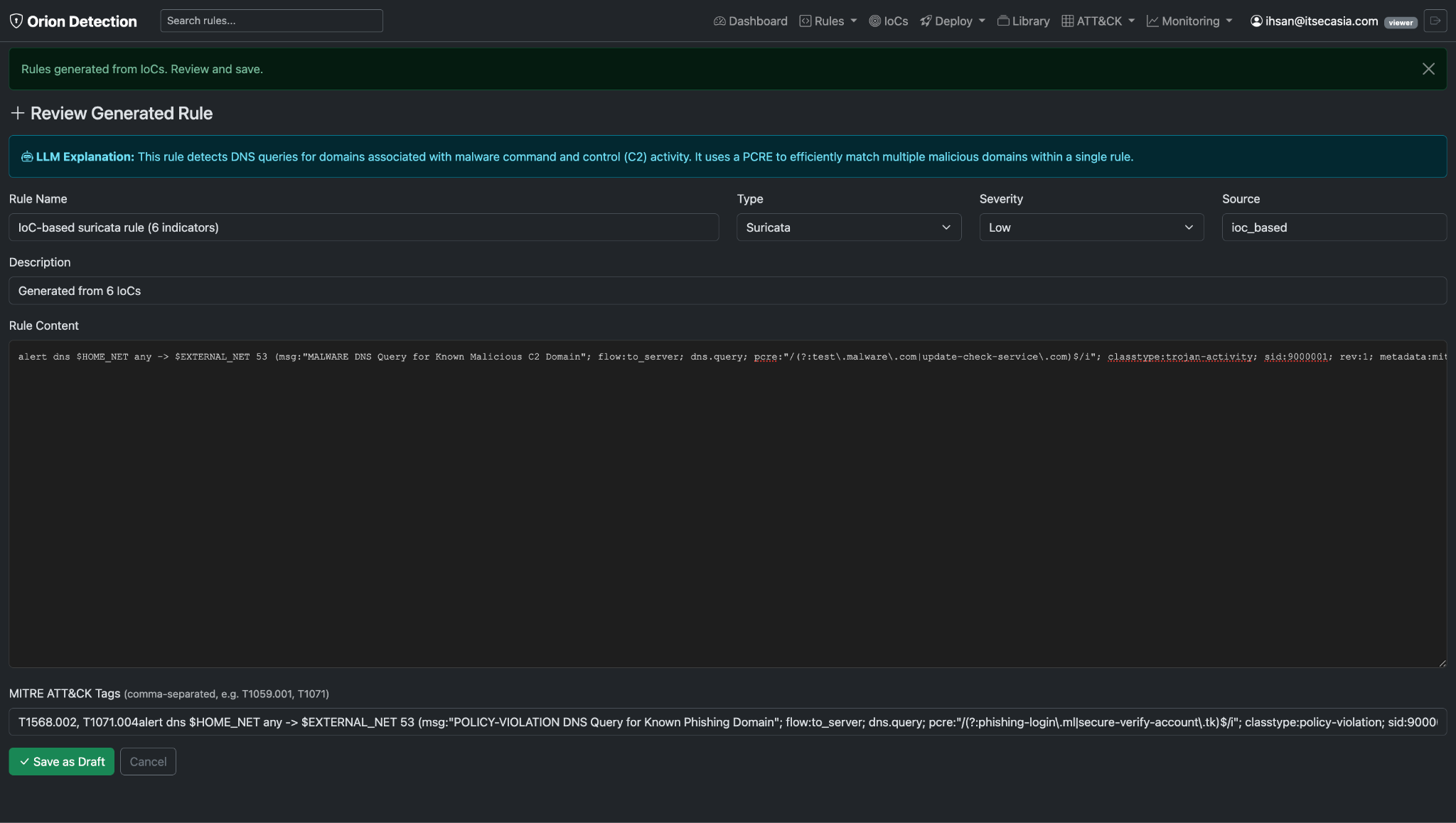
You review. Deploy. 500 IoCs → 45 rules → 5 minutes.
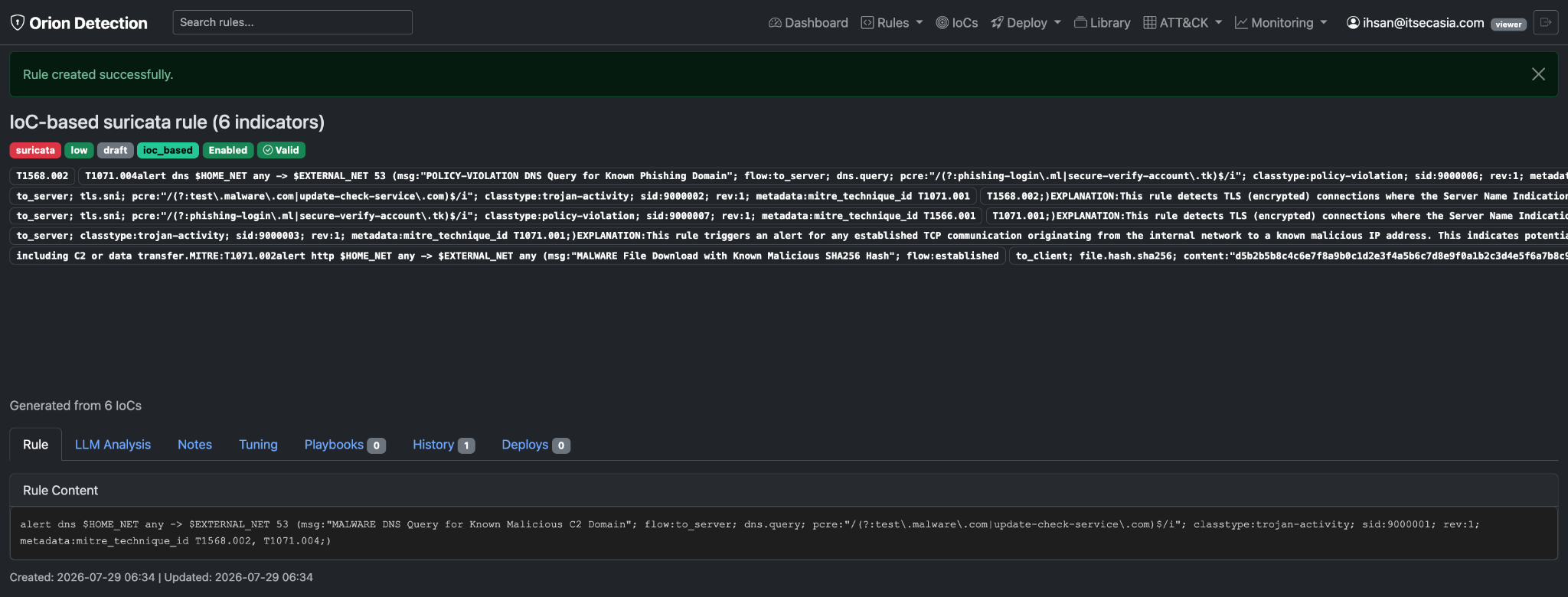
Why this matters: Threat intel is only useful if it's actionable. Orion makes it low-effort enough that you actually do it every time a feed updates. No more "we'll get to it later" (translation: never).
Use Case #4: The "What's Firing Right Now" Dashboard
The alert fatigue problem: You have 1,000 alerts per day. Which ones matter? Which patterns indicate an actual intrusion vs. noisy false positives?
Orion's monitoring tab shows:
- Top firing rules (last 15 minutes, hour, day, week)
- Hit counts from your SIEM (OpenSearch/Elasticsearch)
- Which rules are generating the most noise
- Real-time MITRE ATT&CK detection coverage trends
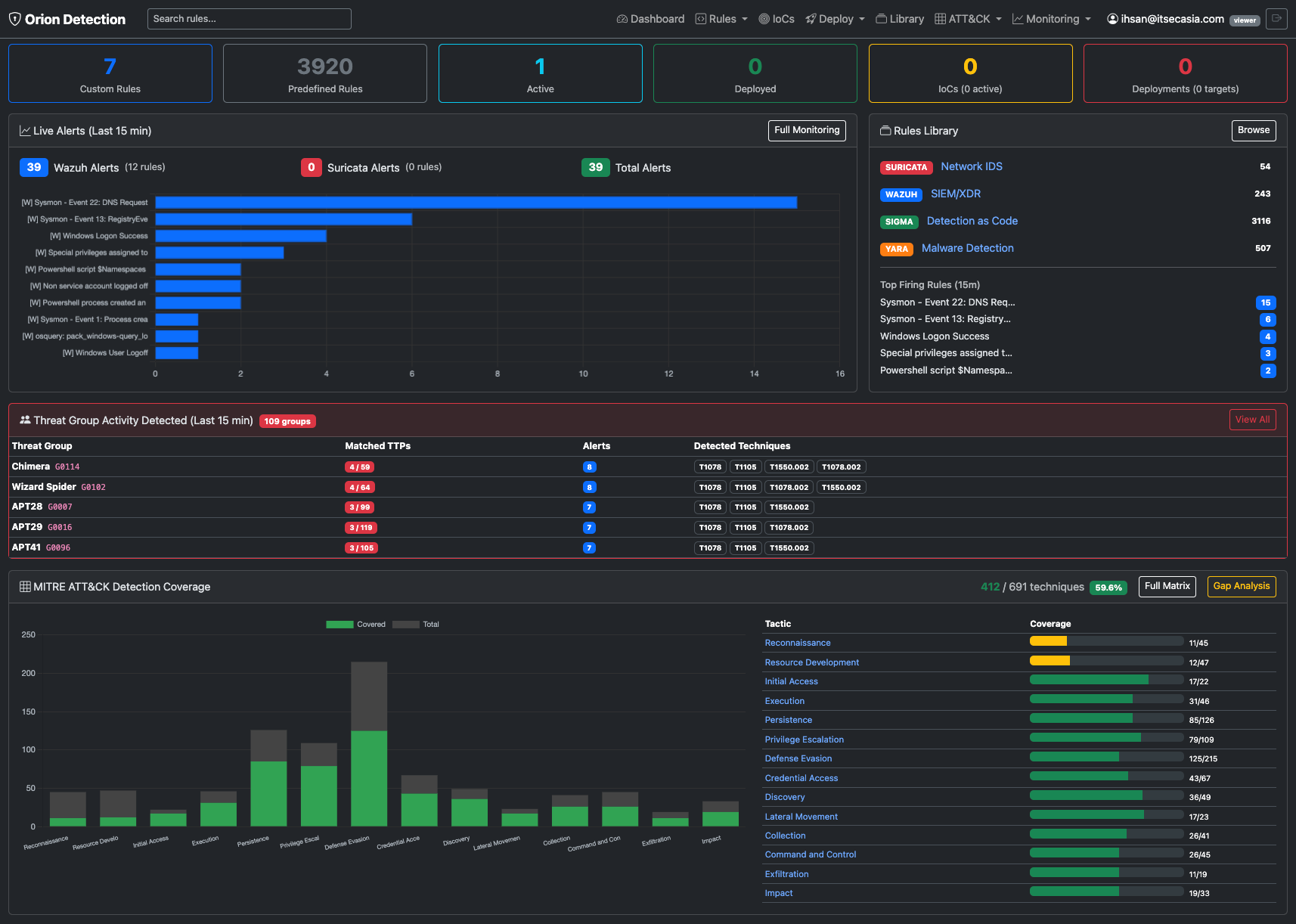
Real scenario from last 16 hours:
Top firing rules:
- Sysmon - Event 13 Registry – high volume, legitimate software updates
- Windows Logon Success – baseline activity
The threat correlation feature: Click "Correlate to Threat Groups." Orion looks at your firing rules, extracts MITRE tags, maps them to known threat actors.
What just happened (Drill down into Wizard Spider correlation):
Threat group activity detected:
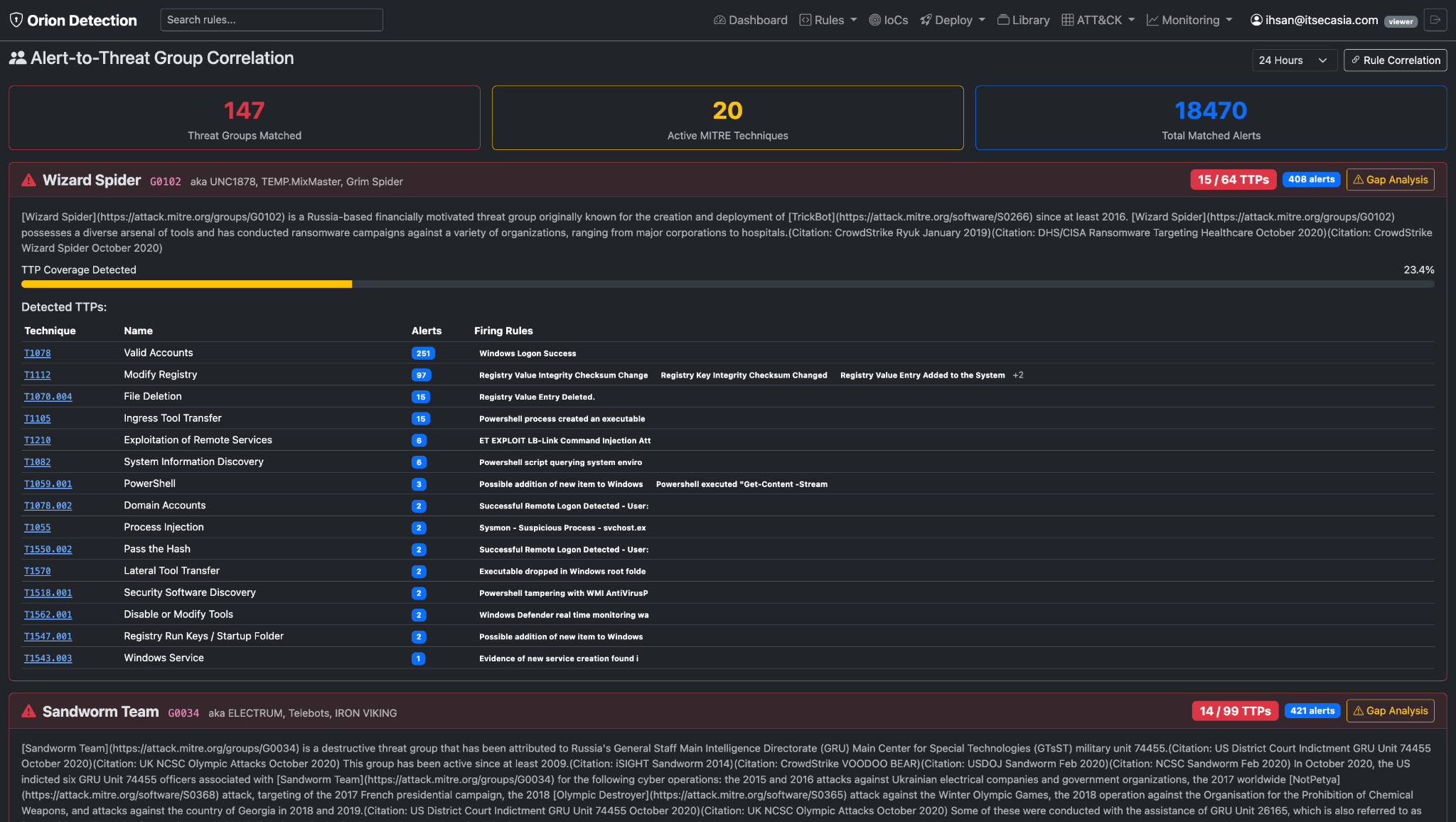
- 147 threat groups matched (across all groups in last 24 hours)
- 20 active MITRE techniques (across all correlated activity)
- 18,470 total matched alerts (all threat groups combined)
- Wizard Spider specifically: 15 out of 64 known TTPs detected (23.4% coverage, 408 alerts)
The win: You see patterns instead of individual alerts. You know which adversary playbook is running. You get ahead of the attack instead of reacting to each alert independently.
Instead of triaging 408 Wazuh alerts one-by-one, you now know: "This looks like Wizard Spider. Check for TrickBot persistence, hunt for credential access attempts, monitor high-value targets for lateral movement."
Use Case #5: The Multi-Format Juggle
The reality: Your SOC runs Suricata on the perimeter, Wazuh on endpoints, Splunk for logs, and maybe OpenSearch for network telemetry. Each one has its own rule format.
The old way: Write the same detection logic four different times. Hope you didn't make a mistake in one of them. Keep them in sync when you update (spoiler: you won't).
With Orion:
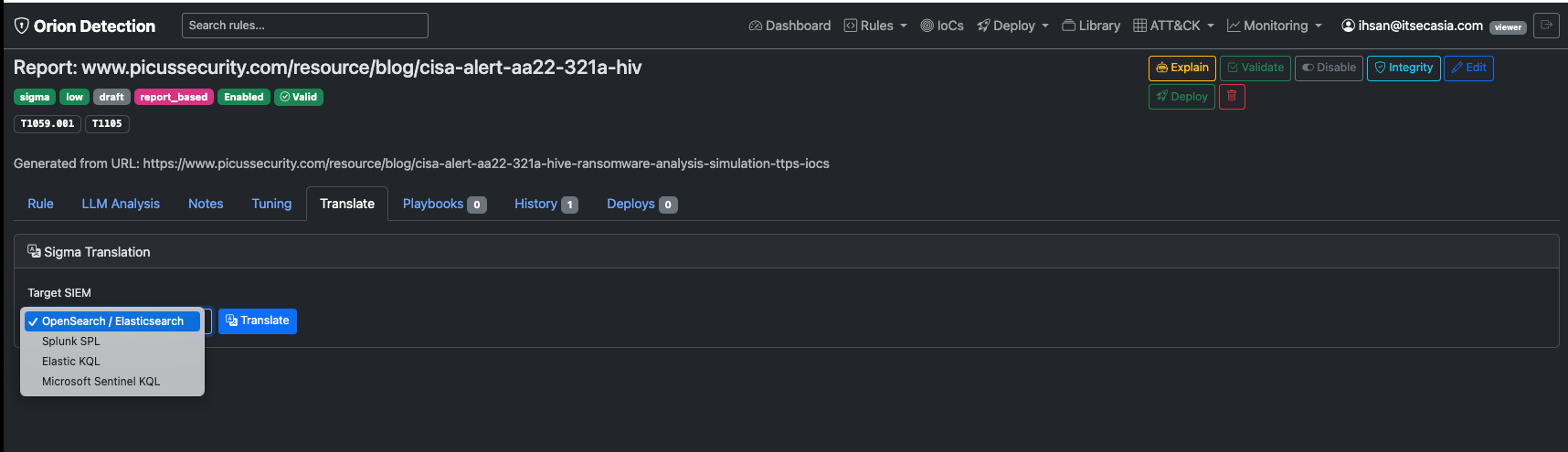
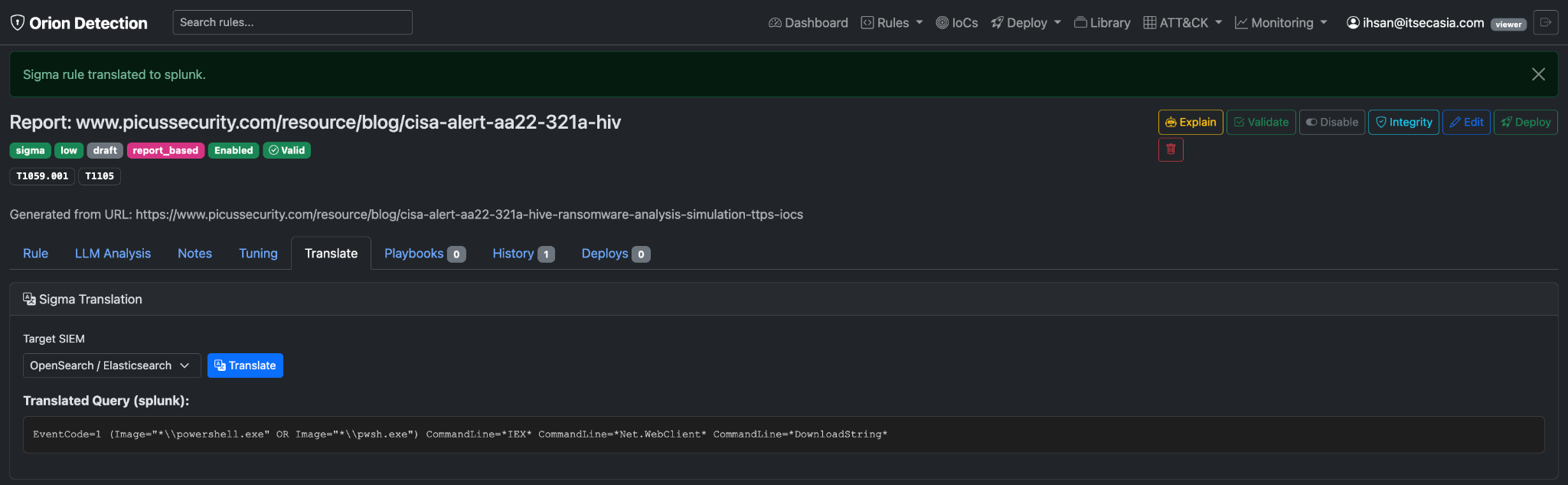
Start with any format. Write a Sigma rule (or generate it from a threat report). Click "Translate." Get:
- OpenSearch DSL query
- Splunk SPL
- Elastic KQL
- Microsoft Sentinel KQL
Or: Generate from description, select "all formats," get Suricata + Wazuh + Sigma + YARA versions of the same detection logic in one shot.
The result: One threat → detections across your entire stack. No manual translation. No format-specific expertise required for every tool. Your network IDS and your SIEM are now speaking the same language.
The Version Control You Actually Need
Every time you edit a rule: Full snapshot saved. Change summary. Timestamp. Who changed it.
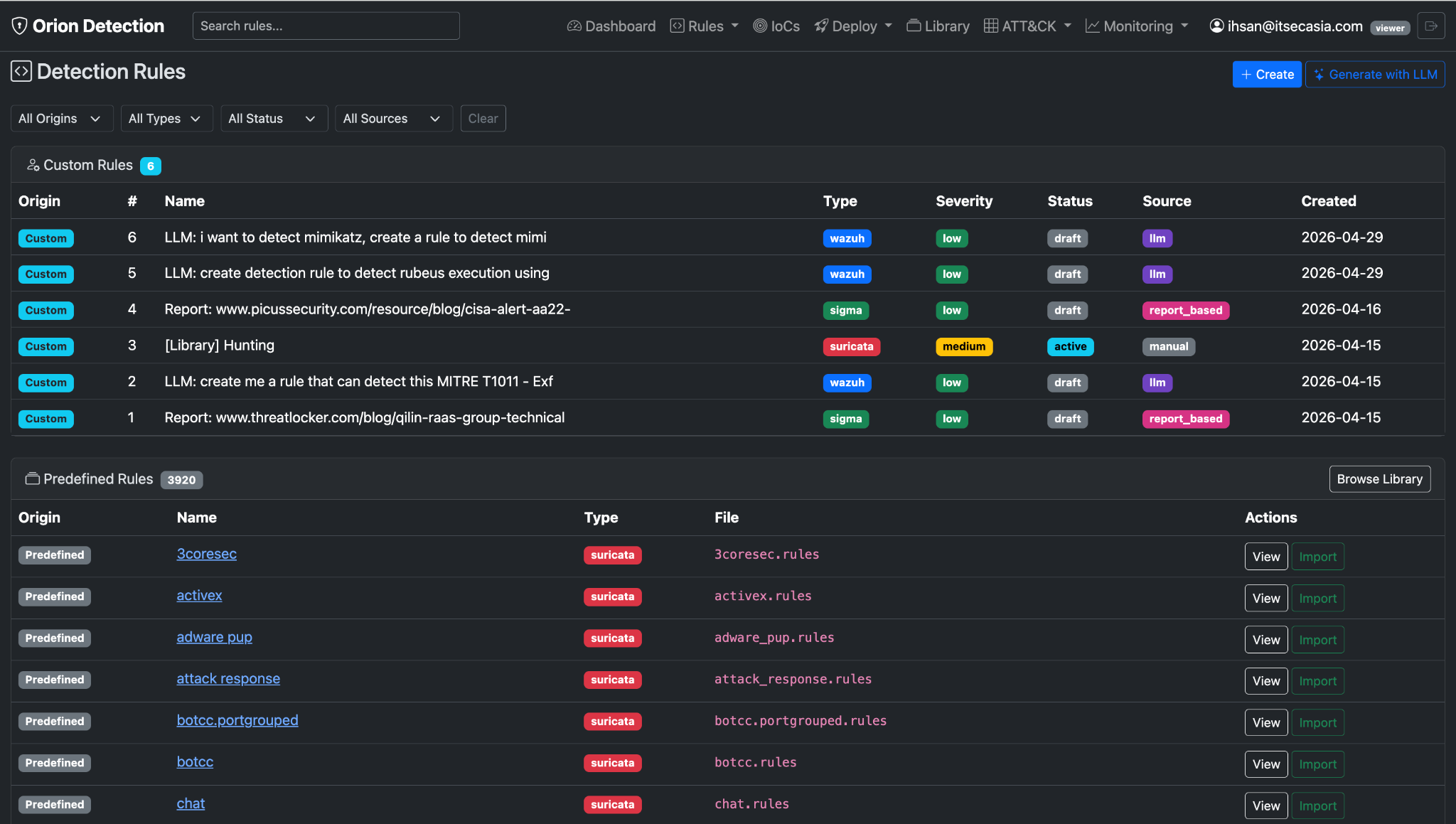
Why this matters:
- See what the rule looked like last Tuesday when it wasn't firing
- Understand why someone changed the threshold from 5 to 10
- Roll back if a tuning change made things worse
- Audit trail for compliance (your auditor will love you)
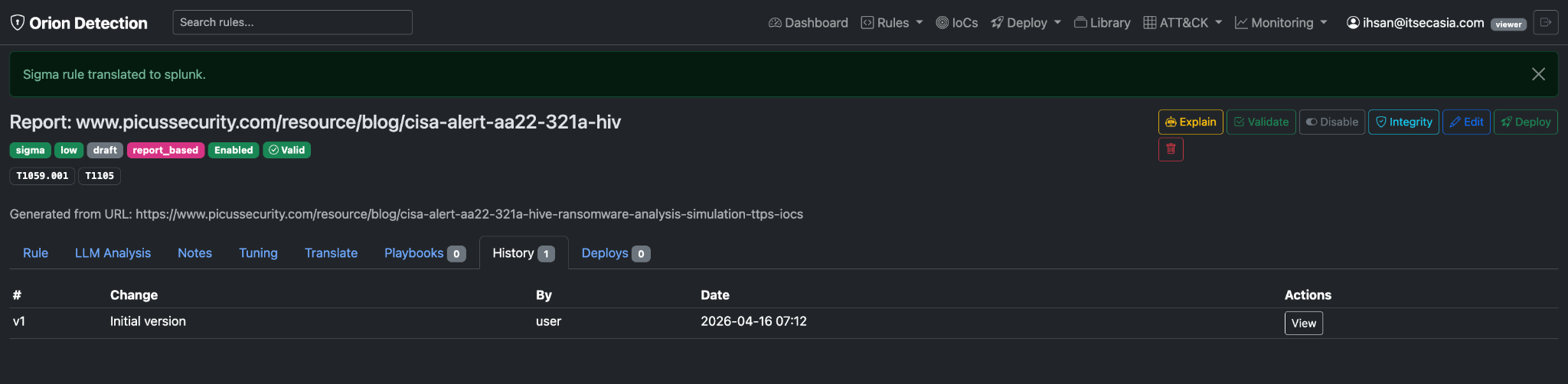
Plus: SHA256 hash captured at deployment. Click "integrity check" → compare the deployed version to the database version. If someone edited the rule directly on the sensor (or worse, an attacker tampered with it), you'll know immediately.
No git commits to write. No branches to manage. Just automatic history for every change, queryable from the UI. Because detection engineers aren't developers, they shouldn't have to think like them.
The Library Nobody Talks About
Orion ships with 3,920 pre-built rules:
- 54 Suricata rules (network threats)
- 243 Wazuh rules (endpoint detections)
- 3,116 Sigma rules (SIEM queries)
- 507 YARA rules (malware scanning)
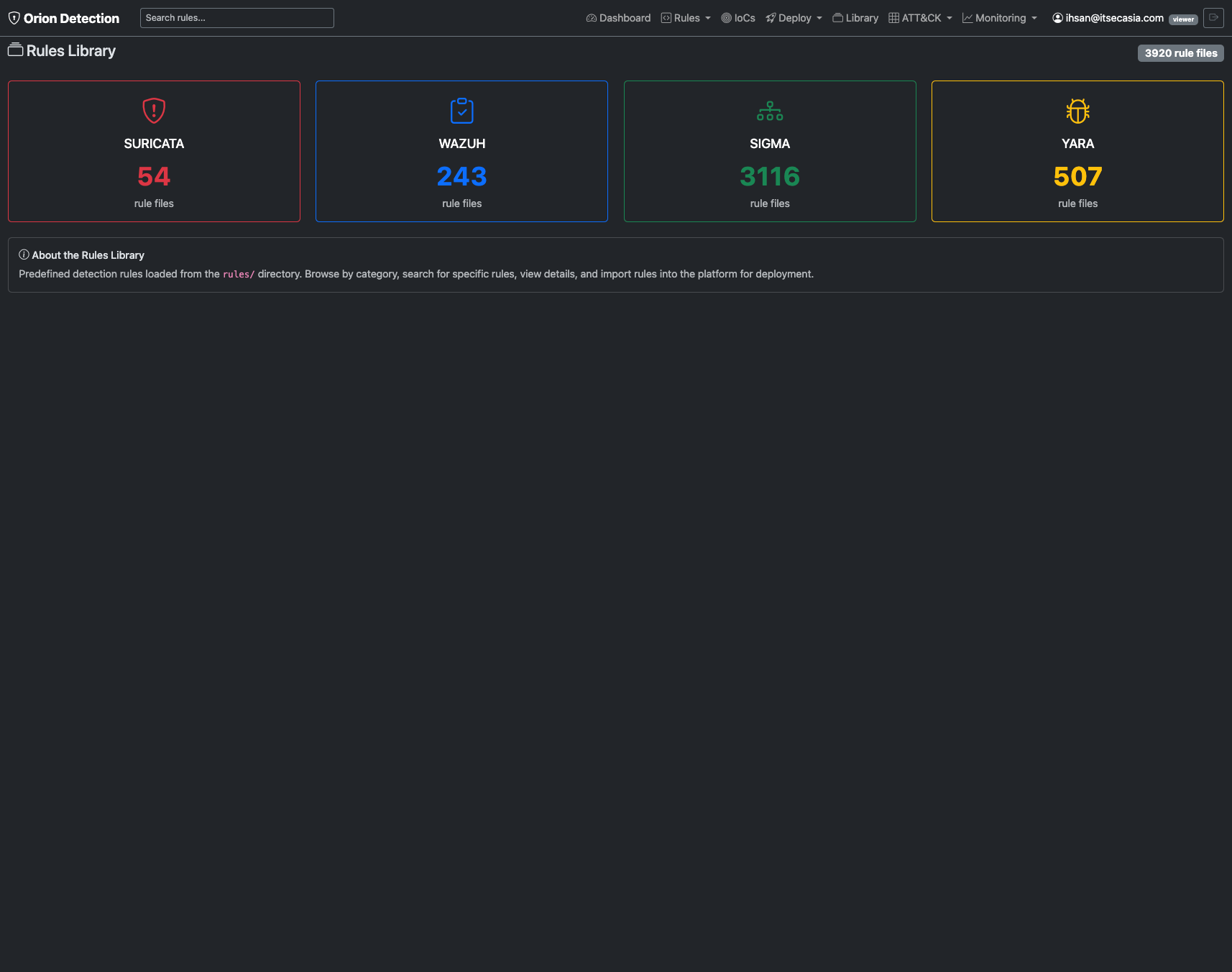
You can:
- Browse by category
- Search by keyword or MITRE technique
- Preview the rule content
- Import directly into your custom rules
- Ask the AI to explain what any library rule detects
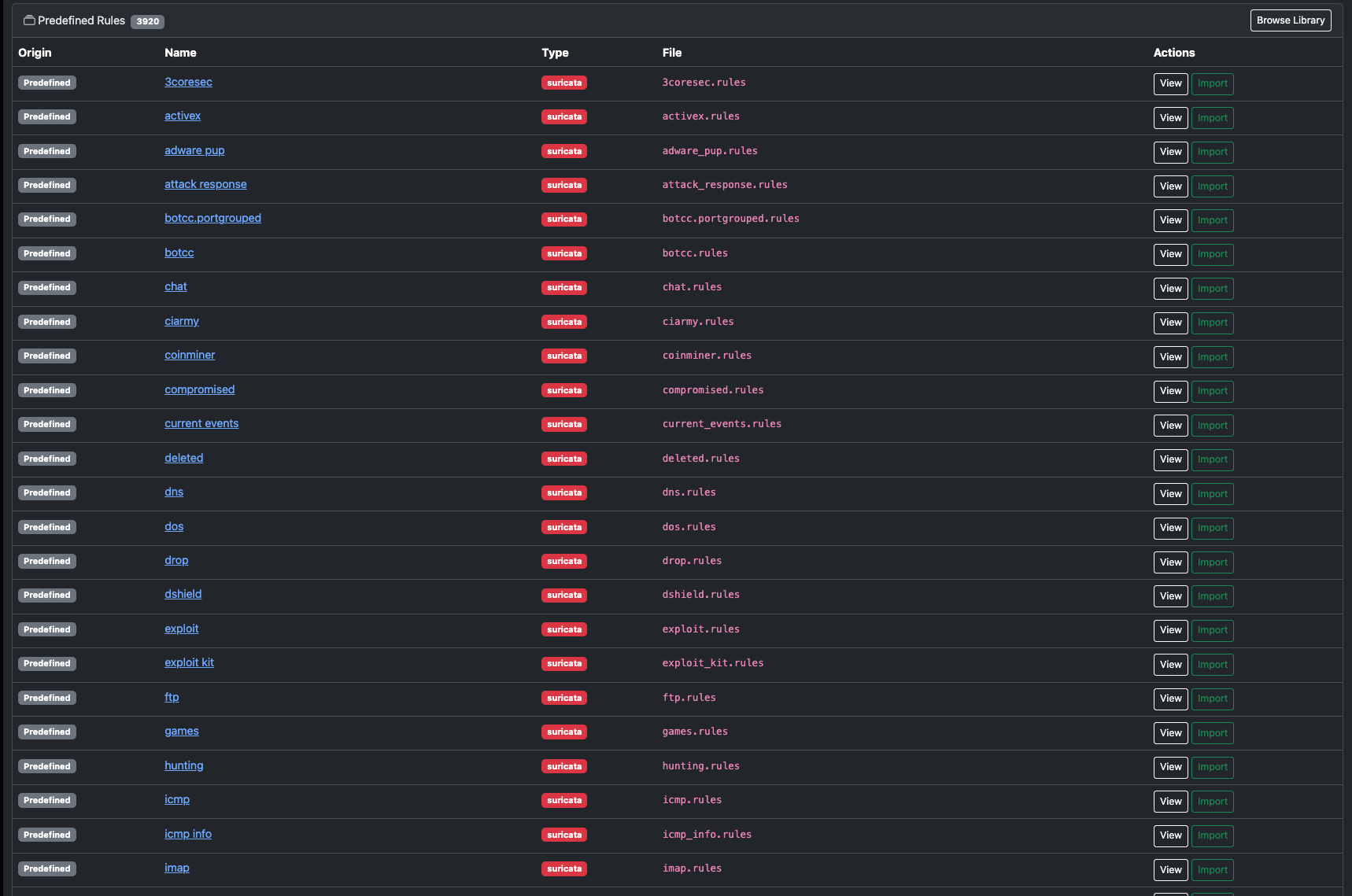
Why this matters: Starting from scratch is hard. Starting from 3,920 examples is easy. Gap in coverage? Search the library first. Often the rule already exists—you just didn't know where to look.
One analyst described it as "having 3,920 detection engineers who've already done the work, and you just pick the best rules."
The Real Win
Detection engineering used to mean: 70% writing boilerplate, 30% actual threat analysis.
With Orion, it flips: 20% reviewing generated rules, 80% threat hunting, tuning, and analyzing patterns.
You still make the decisions (is this threat relevant? what's the false positive risk? how should we tune this?). The tool just handles the tedious parts—parsing IoCs, formatting syntax, looking up MITRE tags, deploying to sensors, tracking versions.
The bottom line: Faster detection coverage. Real-time MITRE visibility. Threat intel that actually gets used. More time hunting, less time formatting YAML.
One of our detection engineers put it this way: "I finally get to do the fun parts of my job again. You know, the parts where I outsmart attackers instead of fighting with regex patterns."
Closing
That's what Orion Detection does. And it does it fast enough that you'll actually use it every day, not just when a critical CVE drops and you're scrambling.
From threat report to deployed rule in 60 seconds. From 15 coverage gaps to zero in an afternoon. From 500 IoCs sitting in a CSV to 45 production rules in 5 minutes.
Detection engineering, but faster. And honestly? A lot more fun.