
A Design Research Contributed by: Antonius Indrawan Prabowo, Dina Karunia Ramadhan
Introduction
Have you ever changed a single word in a design file and spent gruesome hours copy-pasting it across many screens and files? That was our daily reality.
UX writing isn’t just about choosing the right words, it’s about keeping those words consistent across every screen. But managing microcopy across multiple pages and files quickly becomes unmanageable.
We faced the same frustrations: repeating edits on different screens, confusion over “Log in” versus “Sign in,” unclear handoffs to developers, and no version control once designs were delivered.
While each piece of copy may seem small on its own, together they form a large, complex system that needs to stay consistent in every interaction point.
Copy is often scattered across projects, hidden in chat threads, or duplicated with slight differences. Teams struggle to find the version written last week, only to discover a different version in yesterday’s file. Despite its importance, there has been no dedicated (and free) tool to scale and manage UX copy effectively.
In cybersecurity, these challenges come with even higher stakes. A small inconsistency in wording can mislead users, weaken their security awareness, or affect critical decisions.
“If they can’t keep their language consistent, can I trust them with my security?”
That’s what pushed us to rethink how we manage microcopy, and explore what Figma Variables could offer.
Background & Related Works
Our team builds a cybersecurity platform to monitor user environments. In the early days, when the product was small, we managed copy fairly well across multiple Figma files, even though it was scattered. But as the product grew, we quickly realised this approach was no longer efficient.
A copy audit revealed: the same item was described with two different terms across files. That was a turning point. We needed a way to document and scale copy properly.
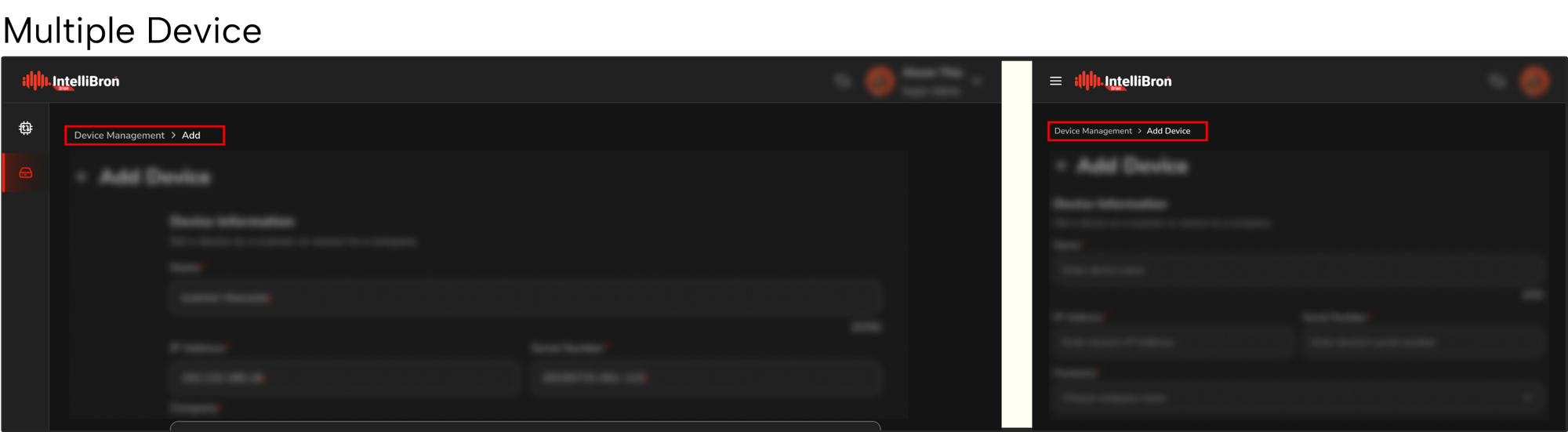
To solve this problem, we decided to explore ways to build a copy library: a central collection of reusable text elements, like buttons, labels, error messages, and onboarding text, that serve as the single source of truth for a product.
A copy library helps teams avoid duplication, maintain consistencies, and make life easier for writers, designers, and possibly developers to find and reference the right copy directly into their work.
Currently, however, building and maintaining such a library has always been difficult, especially as products scale and evolve quickly.
Exploring Existing Approaches
Before turning to Figma Variables, we looked at how teams usually document UX copy. The most common approaches rely on spreadsheets, copy docs, or third-party tools.
- Spreadsheets and CopyDocs
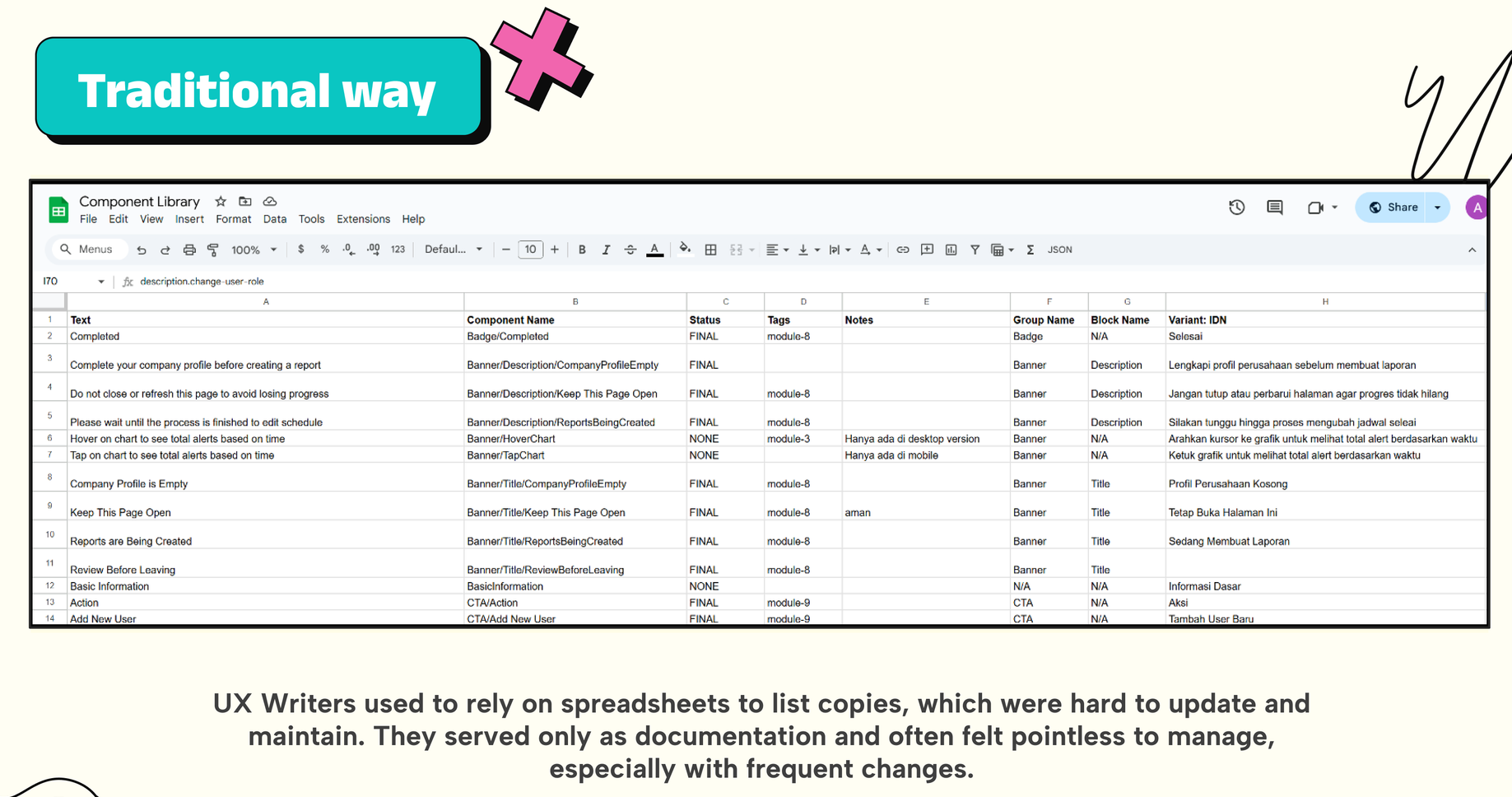
These are easy and accessible starting points for managing microcopy, but they quickly fall out of sync with design. One article from Smashing Magazine notes this exact frustration:
"Updates have to be done manually and spread across multiple files. Noted that without a better system, revising the same phrase in several design frames or JSON files becomes a repetitive hassle, and errors can slip in."
- Third-Party Tools
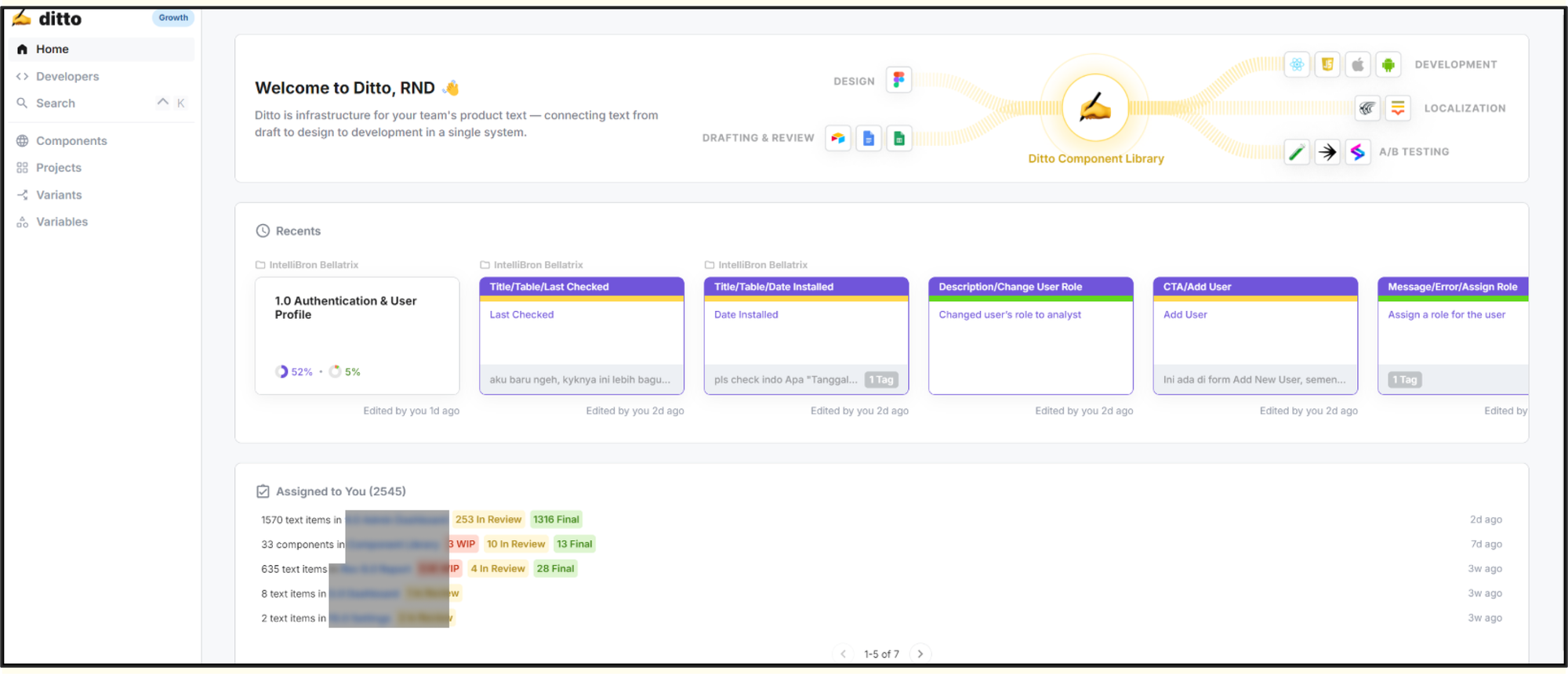
Platforms like Ditto and Frontitude aim to integrate copy into design workflows. A hackathon report by Clare Scott shows they can bring documentation into Figma effectively in a hackathon. But they often come with challenges, trial limitations, sync delays, added cost, and adoption friction which make scaling difficult.
Across spreadsheets, copy docs, and third-party tools, the same pattern emerged: they worked to a point, but none of them scaled well for a growing product.
Copy was still scattered between tools, updates were slow, and costs or overheads got in the way. These gaps made it clear that what we needed wasn’t just another place to store words, but a living system that could evolve alongside the product.
We started with:
"How might we manage and organize our copy components more efficiently as the product grows in complexity?"
"How might we use Figma as a tool to build a living copy system that integrates seamlessly with product development workflows?"
Our Research Journey
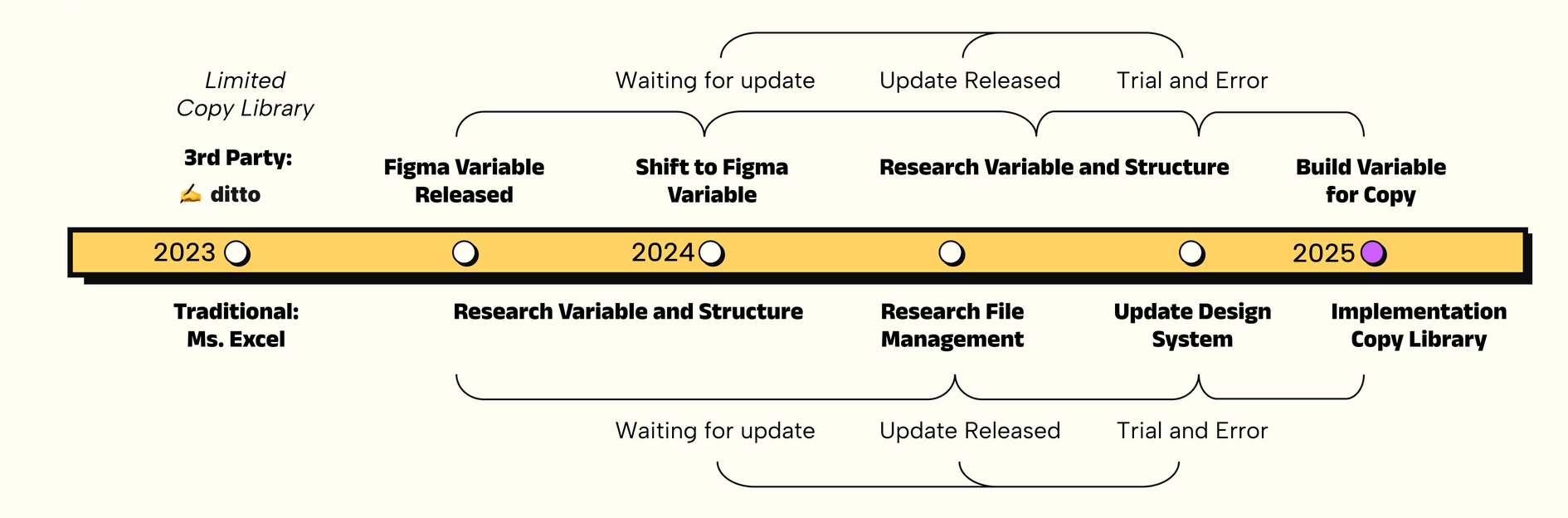
We initially adopted Ditto as our go‑to solution. It centralized copy effectively but soon revealed challenges: scalability limits, sync delays, and licensing costs. After several months, we sought a more flexible and sustainable approach.
By 2024, Figma had upgraded Variables to support text properties on components. This opened the door to reconsidering a native solution, free, integrated, and aligned with our workflow.
Through this process, we realized the core question wasn’t which tool to use, but where copy should truly live in the product lifecycle. If design tokens guide visuals, then copy tokens should guide communication.
Copy Within Design Systems
Instead of treating copy as an afterthought, copy should live inside the design system.
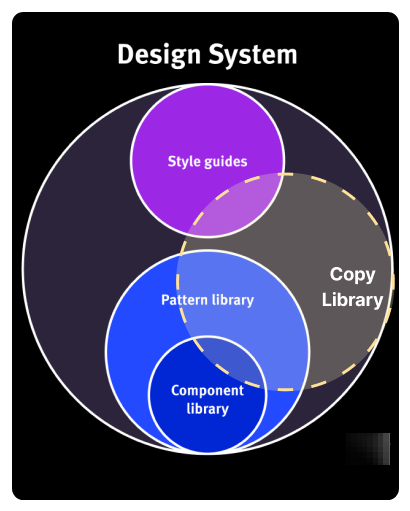
According to Nielsen Norman Group, design systems aren’t just collections of colours, components, or layouts, they also include content standards: rules and editorial practices that ensure consistency and scalability across teams. As NN/g explains, a design system is:
“A complete set of standards intended to manage design at scale using reusable components and patterns.”
By treating copy like a reusable design component, teams can maintain coherence across experiences and empower contributors to work more independently. Clearleft support this point, arguing that design systems often miss out when content is excluded, and the most effective systems evolve UI patterns and language together.
These findings shaped our hypothesis, Figma Variables could act as both design tokens and content tokens, forming what we now call our UX Writer’s Design System.
Method & Implementation
- Explore Figma Variables
We began by exploring the capabilities of Figma variables. What we found is that:
- String variables exist for managing text values (not only colors/sizes).
- Figma Variables can live in a separate file, then be published as a library and consumed from any other Figma file via the Assets panel.
- Known Limits: Bulk operations are limited; deleting a collection has no confirmation; search was only recently added.
Figma Variables will be treated as the backbone of a copy library. It's native, free and referenceable across files, perfect for a single source of truth.
- Deciding on a Naming Convention
After knowing Figma Variables is a viable option, we continue to decide a naming convention to document the existing copy
How we decided
- Applied Jobs‑to‑Be‑Done (JTBD) to map naming to usage contexts.
- Studied external tips (e.g., Ditto) and adapted to our constraints.
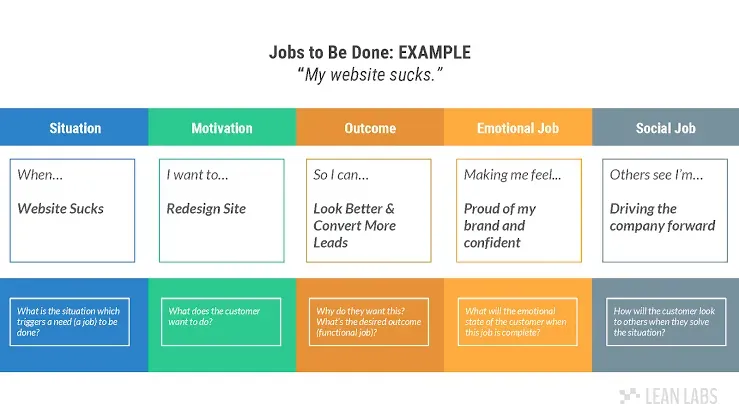
We used the Jobs to Be Done (JTBD) framework to avoid arbitrary decisions. This helped us frame our needs around specific conditions and situations, then map those needs into naming rules.
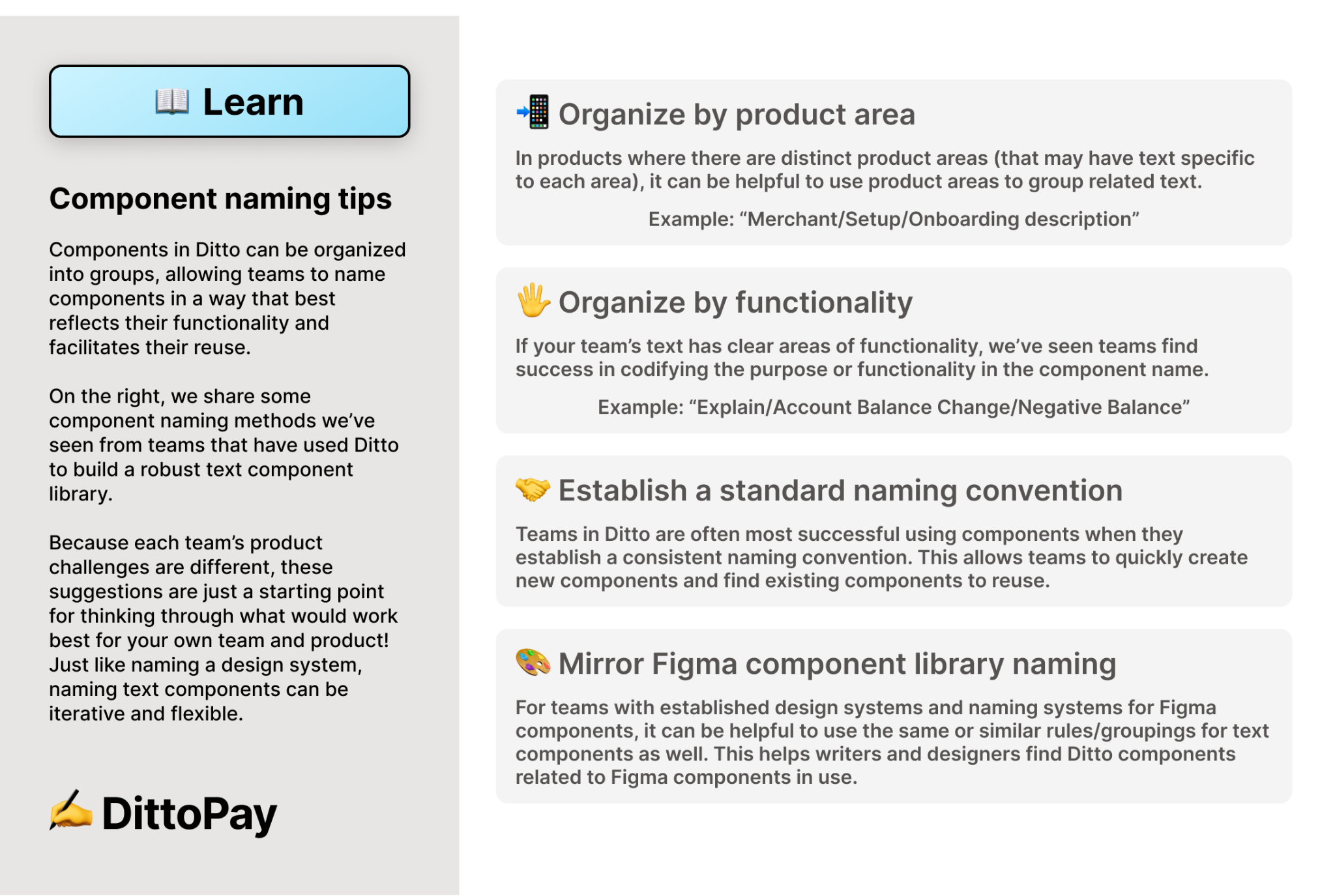
We also studied how other teams approached this problem. References included Ditto’s naming convention tips with examples from different practices, each adapting their system to their own challenges.
Ultimately we want to:
Quickly locate all copies tied to a particular UI element (e.g., buttons).
Help designers easily reference the right copy without confusion.
So we ended up with a UI-based naming convention.
For example, instead of semantic names like PrimaryCTA_Login, we used structure aligned to component anatomy (e.g., Button/Label/Login). This avoids semantic bias, scales more easily, and gives us a clear foundation for future growth.
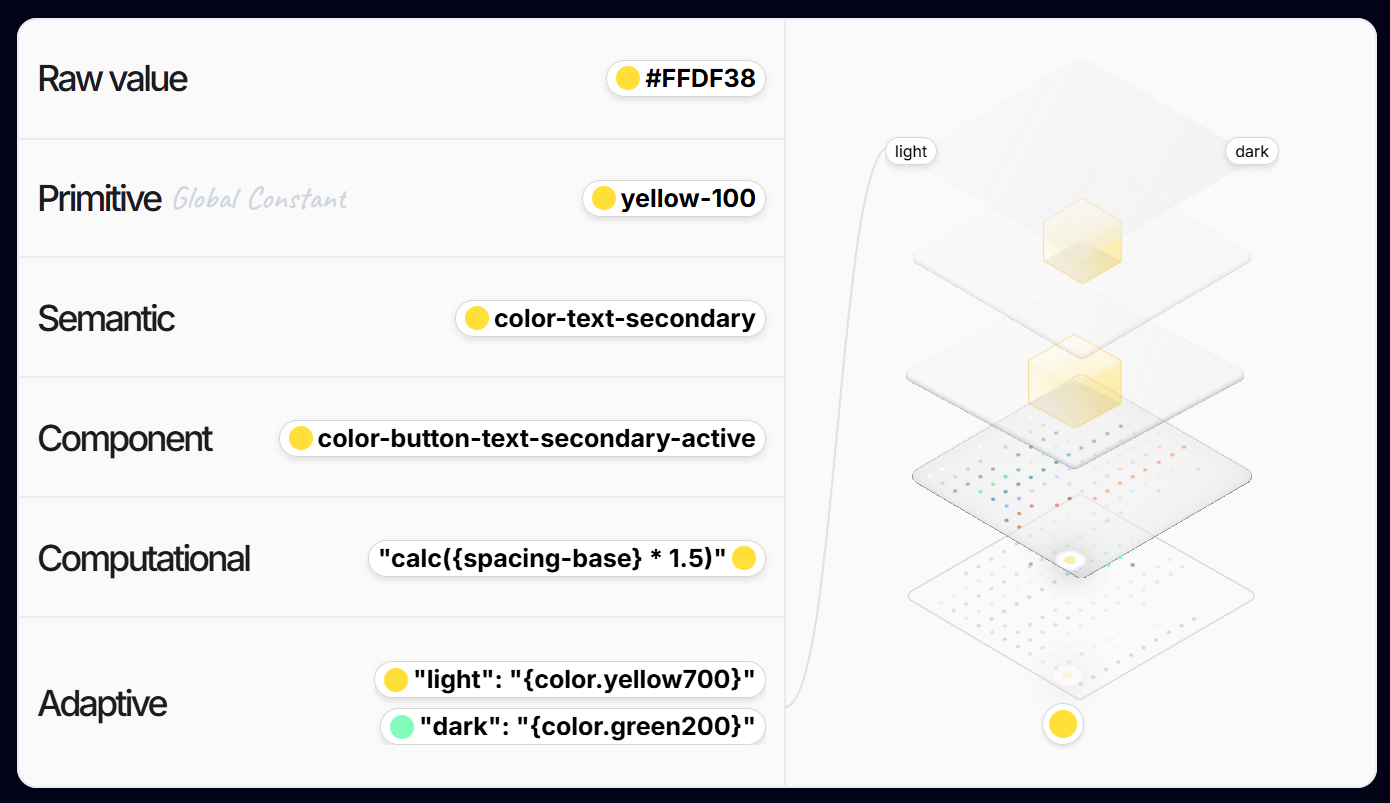
We avoid semantic naming at this stage. Since this is the first design system built specifically for UX writers in our team, we treated our naming as raw values, a foundational layer. This leaves room for more advanced structures later, such as semantic or adaptive naming (as seen in established design system principles).
- Building the Copy Library in Figma
With the naming system defined, we registered the documented copies into Figma Variables within a dedicated file.
This file now serves as our global copy library, the single source of truth. The file can be published and linked across project files, allowing writers, and designers to pull consistent copy directly into their work.
How we proceed:
- Start small with 2-3 pilot modules/features to keep complexity low.
- Left old modules as it is, and start documenting the new modules or revamped modules to copy library.
- Group each entries to a structured folder using forward slashing convention (e.g. all copies for buttons should be inside the button group etc)
- Publish the library so its available to use in other features that are currently in progress.
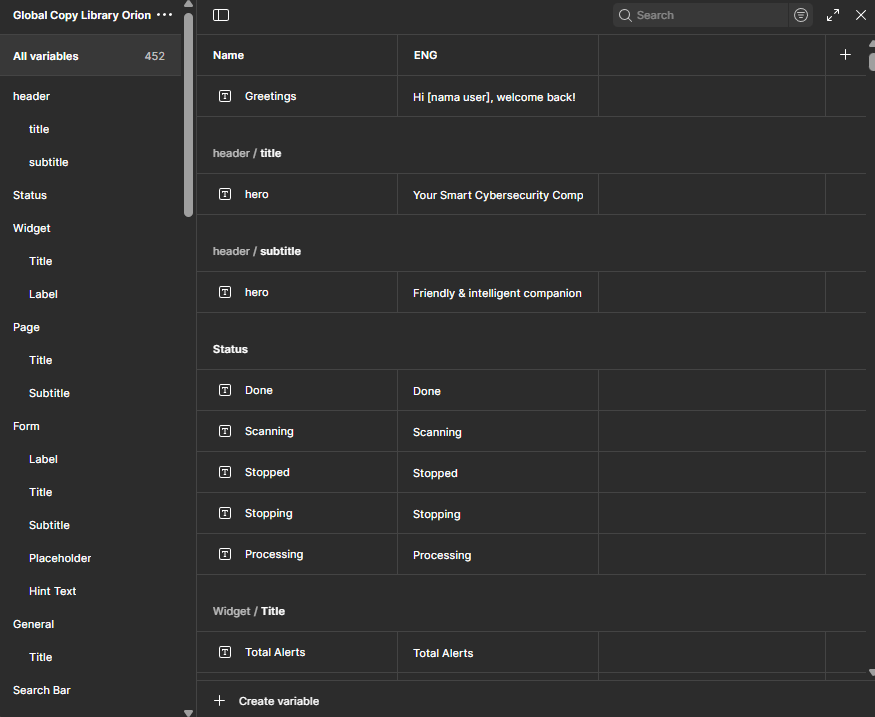
Our Design System
As the copy library began to take shape, we continue to experiment with how it could fit into our broader design system. The diagram below illustrates our current iteration.
This iteration shows how UX copy can live alongside other design tokens inside the system. It also confirms that a copy library doesn’t need to exist as a separate tool, it can be integrated directly into the design system itself, with scalability built in.
Some of the design elements that include our text variables from global copy library are empty states and side menu navigation.

Things to Keep in Mind
There are still some practical considerations:
- Multilanguage Support with Modes
Figma Variables allow multiple modes. Writers can set up modes for different languages (e.g., English, Indonesian) This helps to document localisation, without duplicating entries. - Add Descriptions for Context
Each variable entry has a description field. If you're not lazy (unlike myself) use this to note where a copy is used, for example, "Login”, so other writers can quickly understand its context, even though currently description field is unsearchable. - Variables Are Fragile
Currently, Figma does not ask for confirmation when deleting an entire variable collection. This makes variables easy to accidentally destroy, so teams may want to enforce stricter access or editing rights. - Functionality Is Still Limited
Variables are evolving. For example, search was only added recently, and more features are likely to come. Teams adopting this system should be ready to adapt as Figma improves the functionality.
Results
Our early work with the copy library shows that even partial progress can make a difference. With only about 30% of entries documented, we can feel the benefits already
- Writers are already able to reference and audit old copies more easily.
- Designers can reference existing copies by searching the component name and copy values since the naming convention mimics the designers already established design system.
One of the clearest lessons is that naming conventions matter more than tools. Without disciplined naming, even advanced systems collapse into confusion.
Key takeaways:
Start small, even 30% coverage delivers value.Treat naming as infrastructure.Figma Variables can replace multiple tools when governed well.
Challenges and Limitations
Creating and attaching variables still involves manual effort. Designers haven’t fully adopted the system yet, and until more of the library is documented, benefits like consistency and speed are only partially realised. Adoption also depends on team maturity.
Looking ahead, our next goals may include:
- Expanding coverage to all modules.
- Integrating localisation workflow directly into modes.
- Find ways to attach variable more easily via a Figma plugin.
- Find ways to utilise Figma AI to help in the process.
Figma is already working to improve variables in the future. This might be the best time to invest our time to learn how to utilize Figma Variables to improve our workflow and deliver more consistent results.